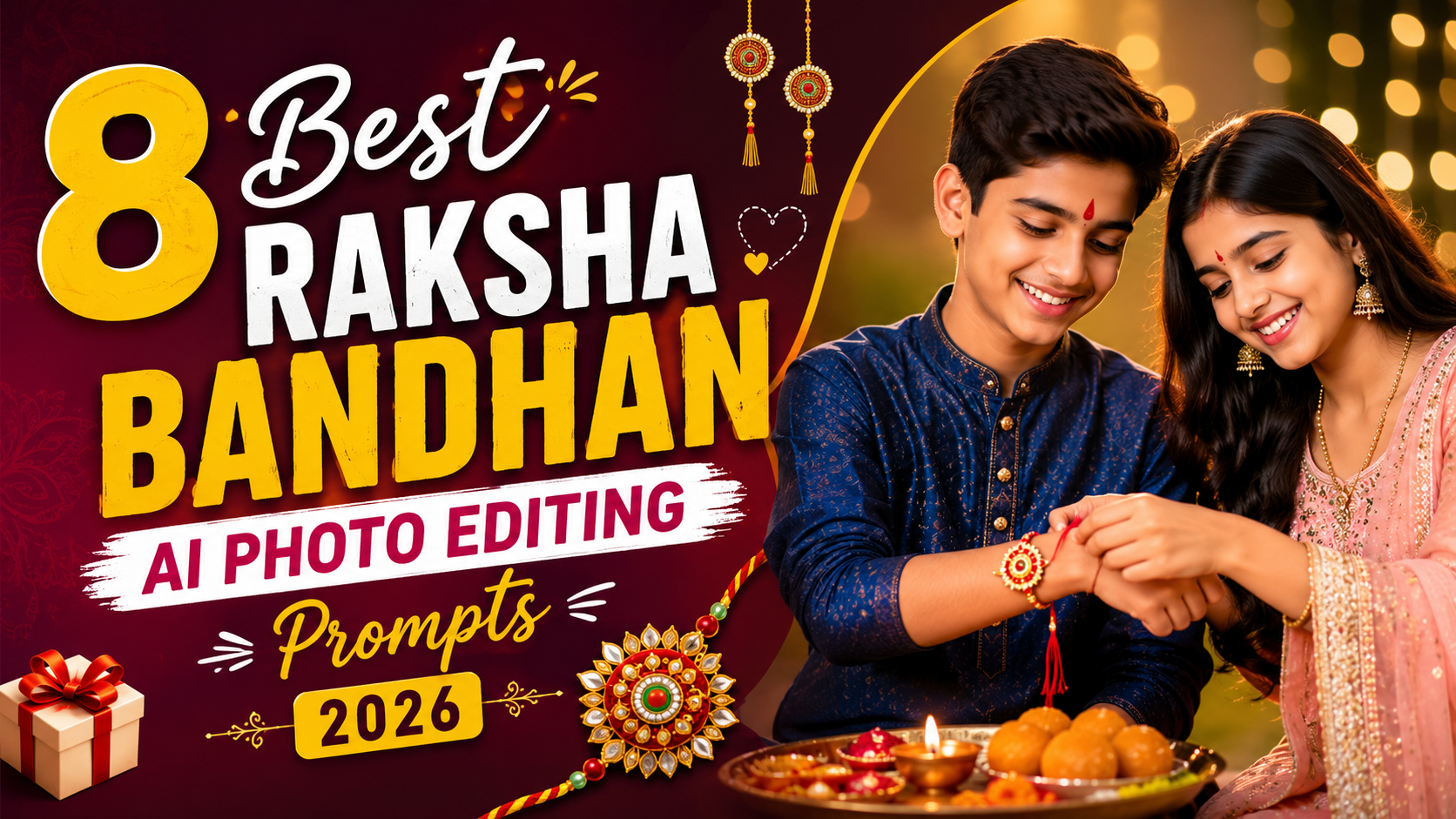
Raksha Bandhan is one of the most emotionally rich festivals in India — a celebration of the bond between siblings. And if you want to create beautiful, personalized images to mark the occasion, AI photo editing tools can make it surprisingly easy.
Join Our Community
Stay connected and get the latest updates.
Whether you want to generate a festive illustration, edit an existing photo with a traditional touch, or create a social media post that stands out, the right AI prompt can do a lot of the heavy lifting.
In this guide, you’ll find ready-to-use Raksha Bandhan AI photo editing prompts that work with popular tools like ChatGPT (with image generation), Midjourney, Adobe Firefly, and similar platforms. Just copy, paste, and adjust as needed.
What Are AI Photo Editing Prompts?
An AI prompt is a text instruction you give to an AI tool to generate or edit an image. The more specific and descriptive your prompt, the better your result tends to be.
For Raksha Bandhan, a good prompt might describe the setting, the subjects (siblings), the visual style, the mood, lighting, and cultural details — like a rakhi on the wrist, diyas, marigold flowers, or traditional clothing.
Results can vary depending on the tool you use and the model version, so don’t hesitate to tweak prompts to get the exact look you want.
Best Raksha Bandhan AI Photo Editing Prompts
Here are carefully written prompts organized by theme and use case. Use these as starting points and customize them to match your vision.
Prompts (8)
1
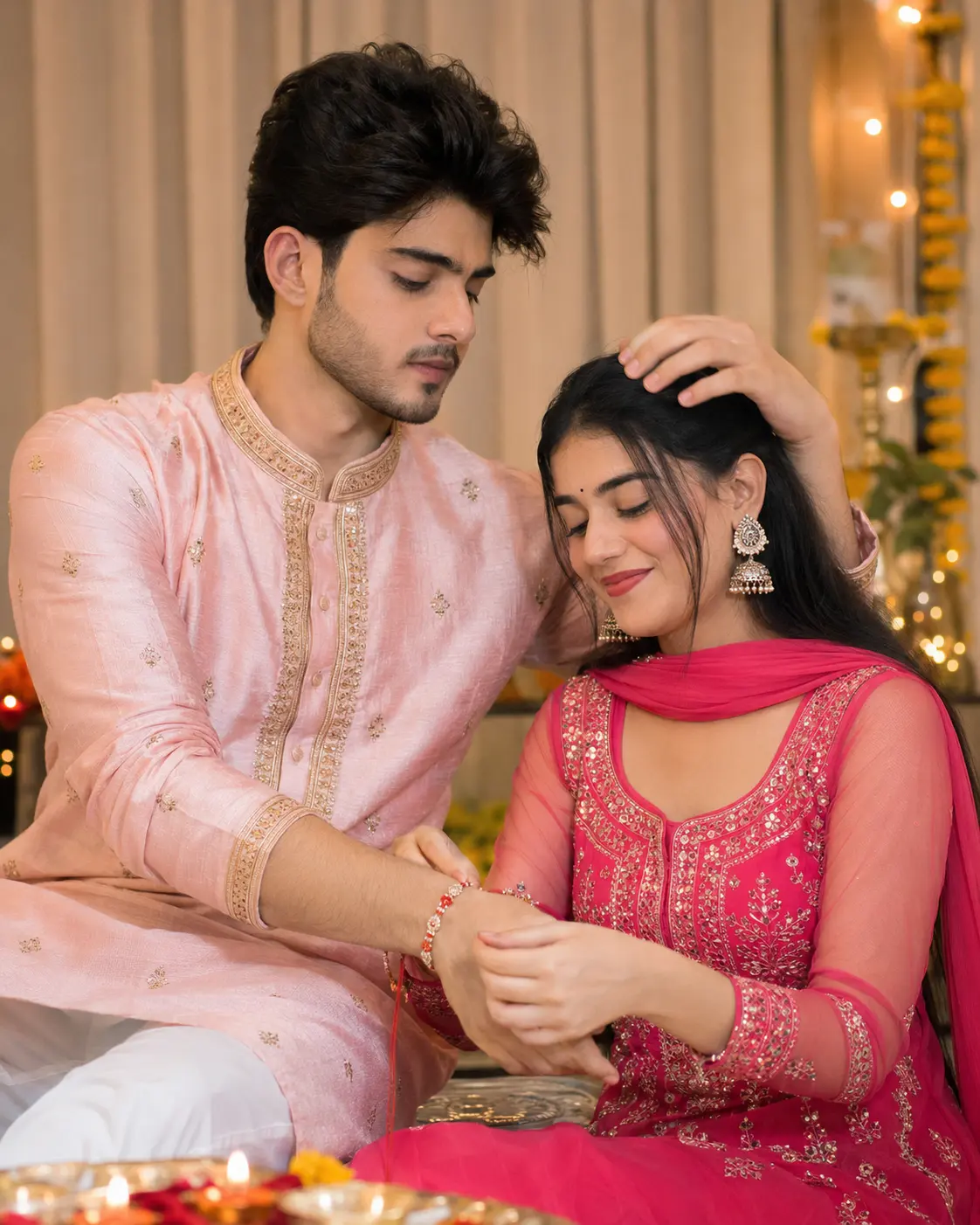
Create an ultra-realistic Raksha Bandhan portrait using the uploaded reference images. STRICT IDENTITY LOCK: The brother’s and sister’s faces must match the uploaded photos 100% exactly. Preserve the original facial features, hairstyle, skin tone, expression, and identity. Do not beautify, reshape, or change the face.
The sister, wearing a bright pink embroidered suit with jhumka earrings, is lovingly tying a traditional red-and-white rakhi on her brother’s wrist with a gentle smile and closed eyes. The brother wears a light pink silk kurta with elegant gold embroidery and a wristwatch, softly placing his hand on his sister’s head with a warm smile. Beautiful indoor setting with beige curtains, soft warm lighting, subtle festive decorations, and natural candid emotions.
Hyper-realistic DSLR photography, Canon EOS R5, 85mm f/1.2 lens, shallow depth of field, creamy bokeh, realistic skin texture, natural colors, cinematic lighting, premium editorial quality, ultra-detailed, 8K, authentic Indian family portrait.
2
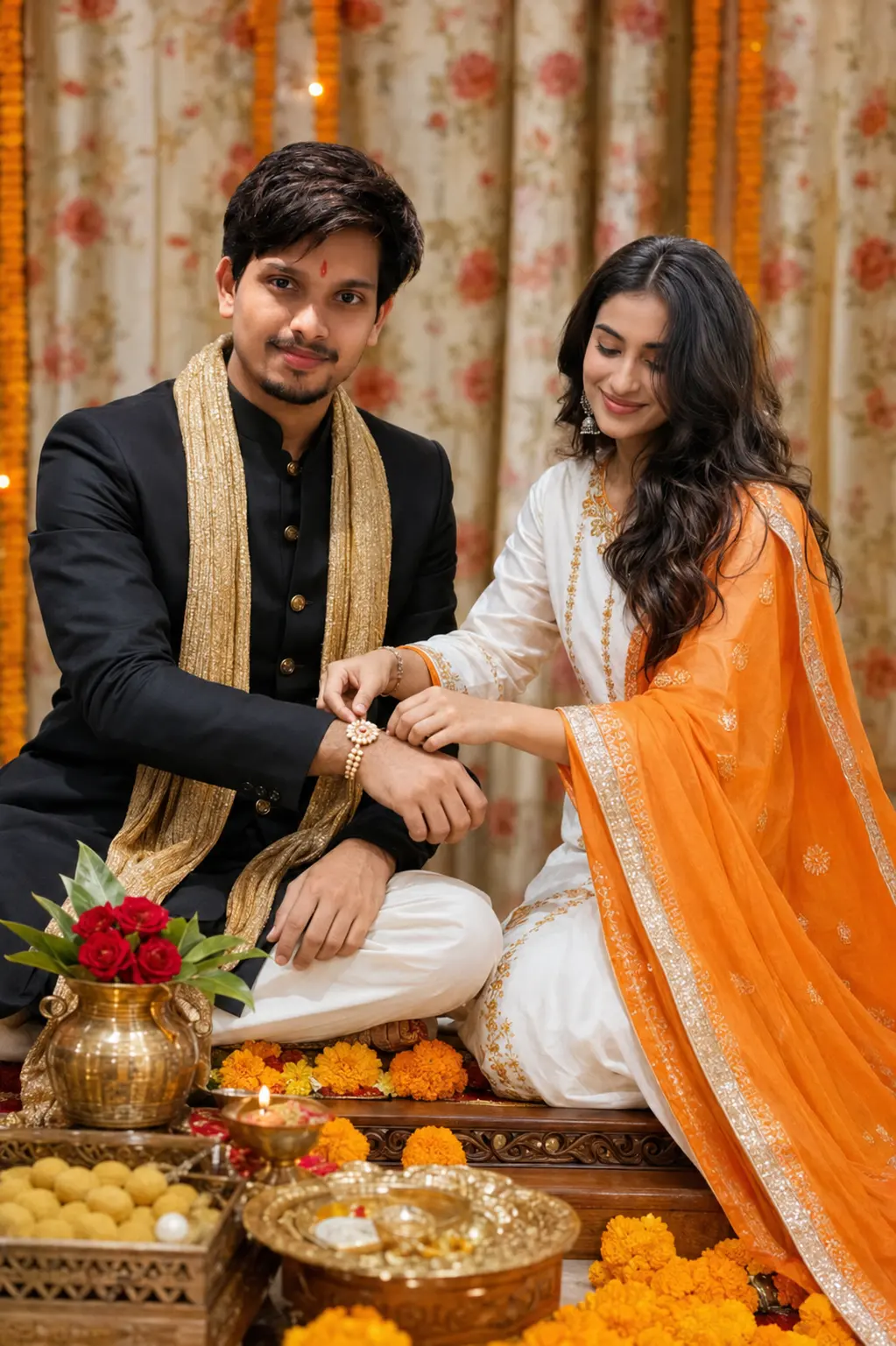
Create an ultra-realistic Raksha Bandhan portrait using the uploaded reference images. STRICT IDENTITY LOCK: The brother’s and sister’s faces must match the uploaded photos with 100% accuracy. Preserve the exact facial structure, hairstyle, eyebrows, eyes, nose, lips, skin tone, facial proportions, and overall identity. Do not beautify, reshape, smooth, or alter the faces.
The brother wears a premium black sherwani with a royal gold stole and a traditional tilak on his forehead, seated on a wooden chowki decorated with fresh marigold flowers. The sister wears a white and orange salwar suit with a golden border, lovingly tying a pearl rakhi on his wrist with a natural smile. A brass kalash with red roses, a ladoo box, diya thali, and festive decorations are placed in the foreground. Elegant floral curtain backdrop, warm studio lighting, authentic candid emotions, DSLR photography, Canon EOS R5, 85mm f/1.2 lens, realistic skin texture, cinematic color grading, shallow depth of field, premium 8K quality.
3
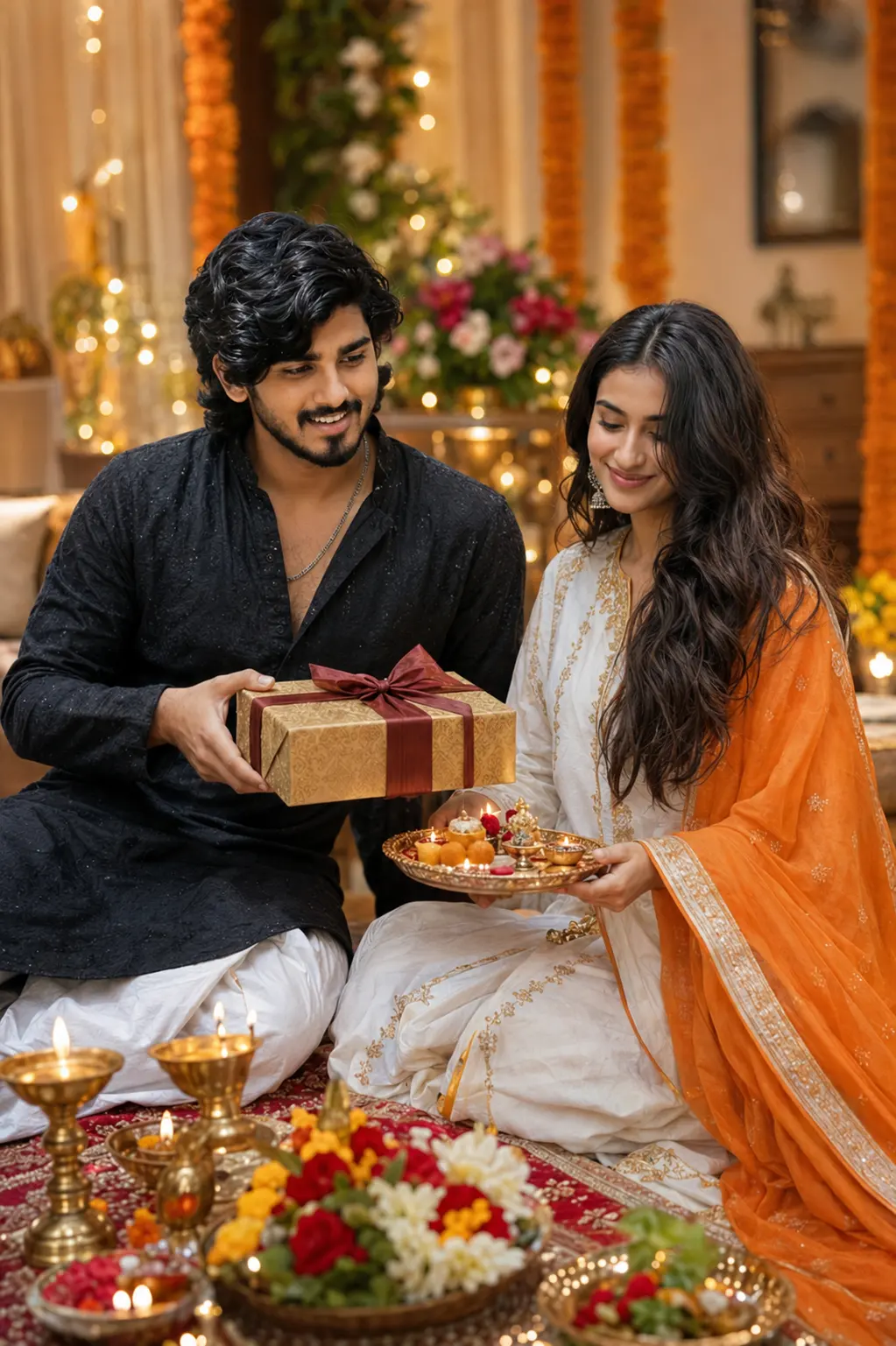
Use the uploaded BROTHER and SISTER images as the ONLY identity references. STRICT IDENTITY LOCK (Highest Priority): Preserve both faces with 100% accuracy without changing any facial features, hairstyle, expression or skin tone. Create a luxurious Raksha Bandhan celebration where the brother is happily presenting a beautifully wrapped gift box to his sister after Rakhi ceremony. The sister is smiling with excitement while holding the Rakhi thali. Elegant festive home decorated with flowers, fairy lights and diyas. Traditional Indian outfits, rich festive atmosphere, cinematic lighting, realistic skin tones, premium DSLR look, creamy background blur, HDR, ultra-sharp details, natural colors, 8K Ultra HD, Sony Alpha 1, 85mm f/1.4 lens, photorealistic masterpiece.
4
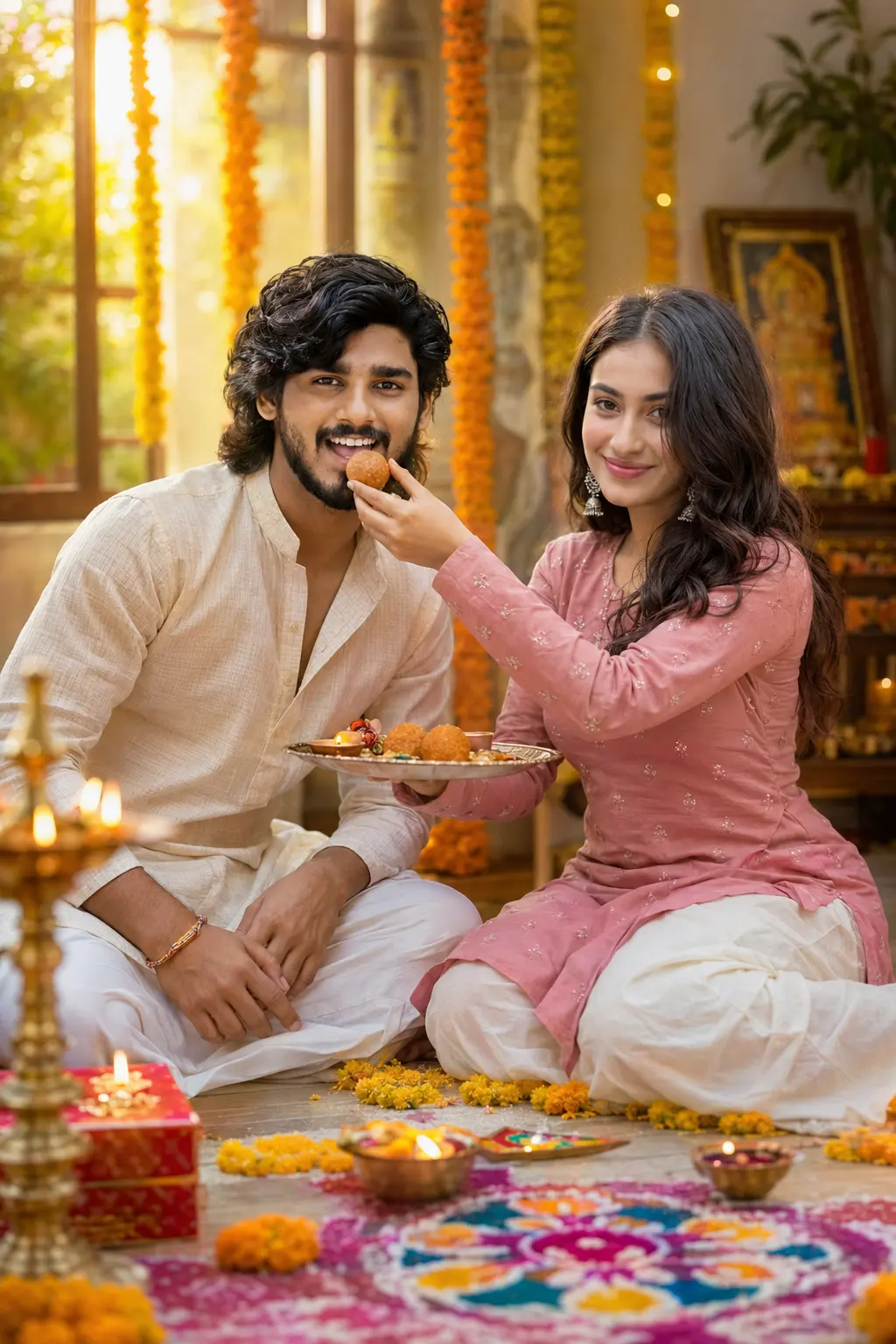
Use the uploaded BROTHER and SISTER images as the ONLY identity references. STRICT IDENTITY LOCK (Highest Priority): Keep both faces 100% identical to the uploaded images. Do not alter facial structure, hairstyle, age, or skin tone. Generate a joyful Raksha Bandhan moment where the sister is lovingly feeding a traditional Indian sweet (Laddu) to her brother while he smiles happily. Decorated festive background with marigold flowers, diyas, colorful rangoli, festive decorations and soft sunlight entering the room. Traditional ethnic outfits, realistic emotions, cinematic golden-hour lighting, premium DSLR photography, shallow depth of field, HDR, ultra-detailed textures, luxury color grading, realistic shadows, 8K Ultra HD, 85mm portrait lens, masterpiece.
Info:- More Prompt Coming Soon
Tips for Getting Better Results with AI Image Prompts
Getting a great image from AI isn’t always instant. Here’s how to improve your results:
Be specific with details. The more you describe — clothing colors, setting, mood, lighting style — the more accurate your output will be.
Mention the art style. Whether you want photorealistic, watercolor, digital illustration, or cinematic, stating the style clearly helps the AI understand what you’re going for.
Use quality modifiers. Adding phrases like “high resolution,” “sharp focus,” “beautiful lighting,” or “award-winning photography” can improve output quality on many tools.
Iterate and refine. If the first result isn’t perfect, adjust your prompt slightly. Try changing one or two details and generate again.
Tool matters. Midjourney tends to produce very artistic and detailed results. Adobe Firefly handles photorealistic images well. ChatGPT with DALL·E is great for quick, guided generation. Try your prompt on different platforms for varied results.
Which AI Tools Work Best for These Prompts?
These prompts are designed to work across multiple AI image generation and editing platforms:
- ChatGPT (with DALL·E) — Easy to use, great for beginners. Just paste the prompt in a conversation.
- Midjourney — Excellent for artistic and cinematic results. Use in Discord with the
/imaginecommand. - Adobe Firefly — Good for photorealistic and commercial-quality images.
- Leonardo AI — Strong control over style, great for digital illustration prompts.
- Canva AI — Beginner-friendly and integrated with design tools.
Note that results vary between platforms. Experiment to see which tool suits your style best.
Frequently Asked Questions
Q: Can I use these prompts for free?
Most AI tools offer a limited number of free image generations. ChatGPT, Canva AI, and Adobe Firefly have free tiers you can start with. Midjourney requires a paid subscription.
Q: Do I need design skills to use AI photo editing prompts?
Not at all. You just type or paste the prompt into the AI tool and it generates the image. No technical skills are needed.
Q: Can I edit an existing photo using these prompts?
Some platforms like Adobe Firefly and ChatGPT support image uploads where you can guide edits using a prompt. For pure generation (creating from scratch), all listed tools work fine.
Q: Are the generated images free to use for social media?
Generally, yes — but always check the usage policy of the specific AI tool you’re using. Policies differ between platforms.
Q: How do I make the image look more Indian and festive?
Include specific cultural details in your prompt — mention items like rakhi, diyas, rangoli, marigold garlands, traditional Indian clothing (lehenga, kurta, saree), and festivals colors like red, gold, and orange.
Q: Can I use these prompts for Raksha Bandhan wishes or greeting cards?
Absolutely. Several prompts here are specifically designed to work well as greeting card visuals or social media wish posts.
Conclusion
Creating beautiful Raksha Bandhan images no longer requires a professional photographer or graphic designer. With the right AI photo editing prompts, you can generate heartfelt, festive, and visually stunning images in minutes.
Use the prompts in this guide as a starting point. Customize the details to fit your vision — adjust clothing colors, add names, change the setting — and experiment across different AI tools until you get the perfect result.
Whether you’re creating a greeting for a family member, designing a social media post, or just exploring what AI can do, these Raksha Bandhan AI photo editing prompts are a great place to begin.
Happy Raksha Bandhan! 🎉
Leave a Comment